

- Trading Platforms
- Platforms
- User Manuals
- NetTradeX Mobile User Guide
- Opening Demo Account
Opening Demo Account in NetTradeX Mobile
To open Demo account you need to download, install and launch Trade terminal.
1. In the "Tools" menu select "Open new Account... "
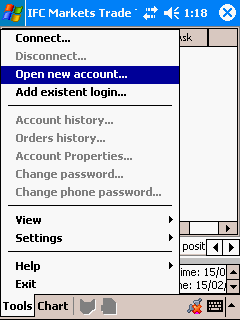
2. In the opened window select "Demo account".
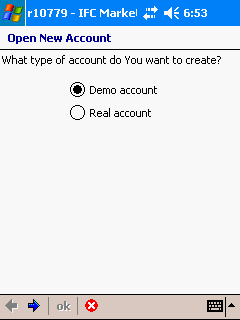
3. Fill in your personal data in the "Personal account information" window:
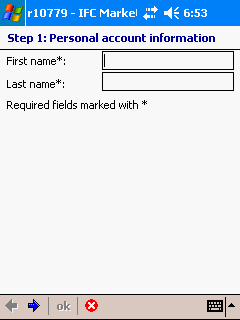
4. Next the "Contact account information" form will be opened, where you will be offered to fill in the following fields:
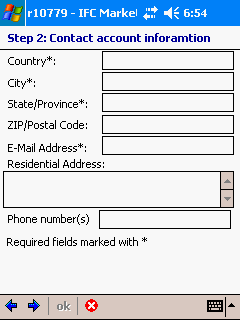
5. Next the "Trading account information" form will be opened, where you will be offered to specify the following trading conditions:
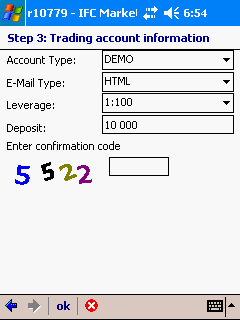
6. Congratulations! Your Demo account is opened. Write down or remember the data of your account.
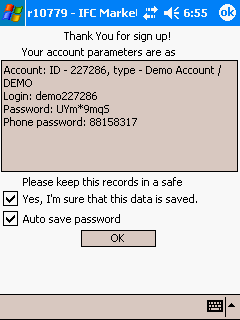
Mark with the tick “Yes, I am sure that this data is saved” field and, if you want to save the password on your computer, tick “Auto save password” as well. In this case, when connecting to the account there will be no need to enter password.